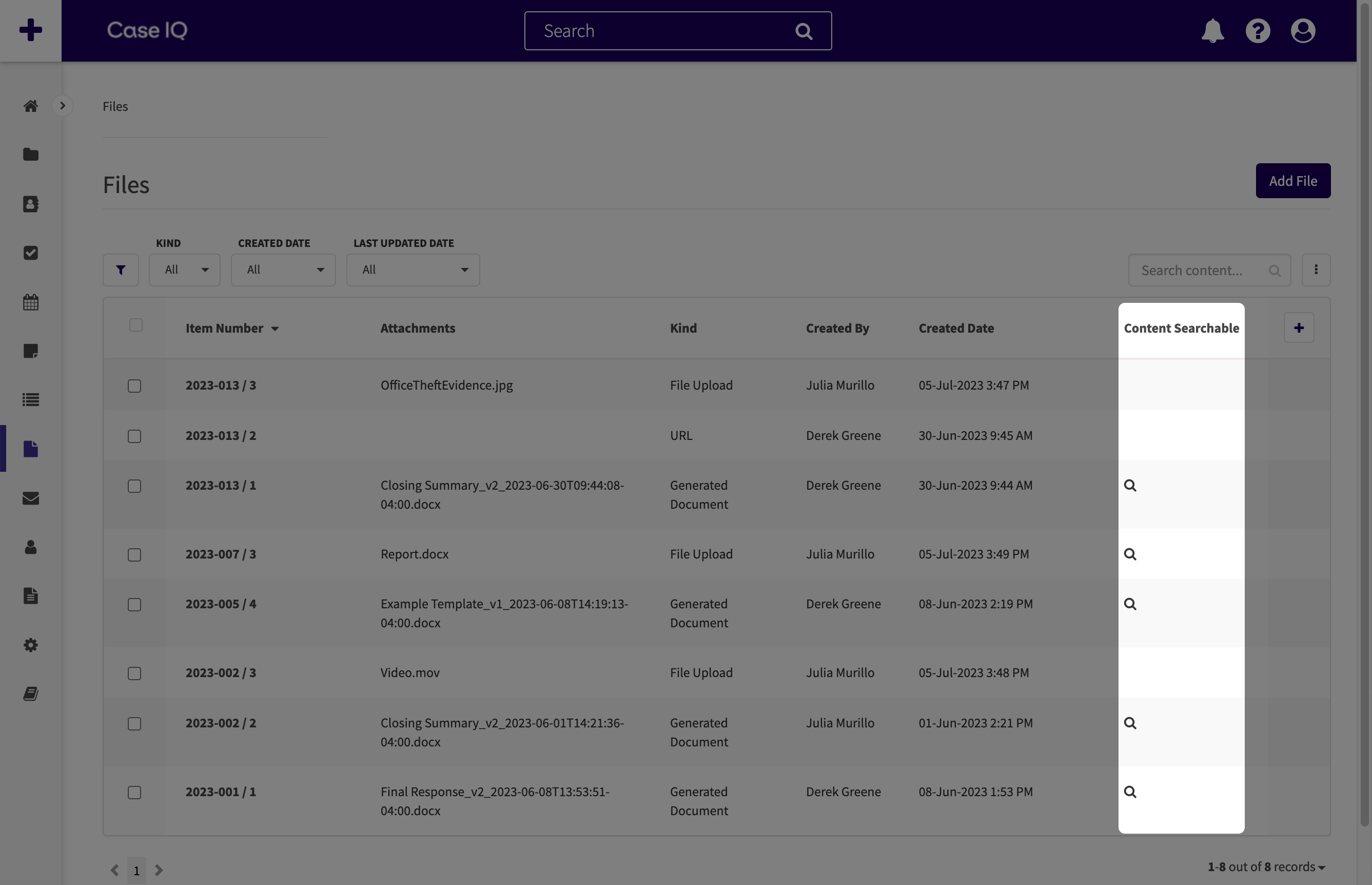
Can Case IQ search for words in text files?
Case IQ can search for text in certain types of files when you run a quick or advanced search. If a document can be searched in Case IQ, it is called “content searchable”.
Documents that meet the following criteria will be content searchable:
- The file contains text, such as a Word, PDF, or .txt document. Images or sound clips are not content searchable.
- The file is under 15 MB.
- Files will remain content searchable for two years. After 2 years, you will still be able to search for and access such files from their case or the Files grid, but their content will no longer be searchable.
- The case has less than 1000 attached documents.
You can check if Case IQ can search through a file with the "Content Searchable" column on the Files grid. You will see a magnifying glass icon ( ) in the file's row if it is content searchable. If you do not see the "Content Searchable" column in your application, you can add it to your view from the grid's Column Menu (
 ) (see Configure a Grid: Add or Remove a Column for more).